AI / MCP integration
Serpentine3D ships an MCP server so AI assistants can drive the modeller: create geometry, run any command, inspect and screenshot the scene.
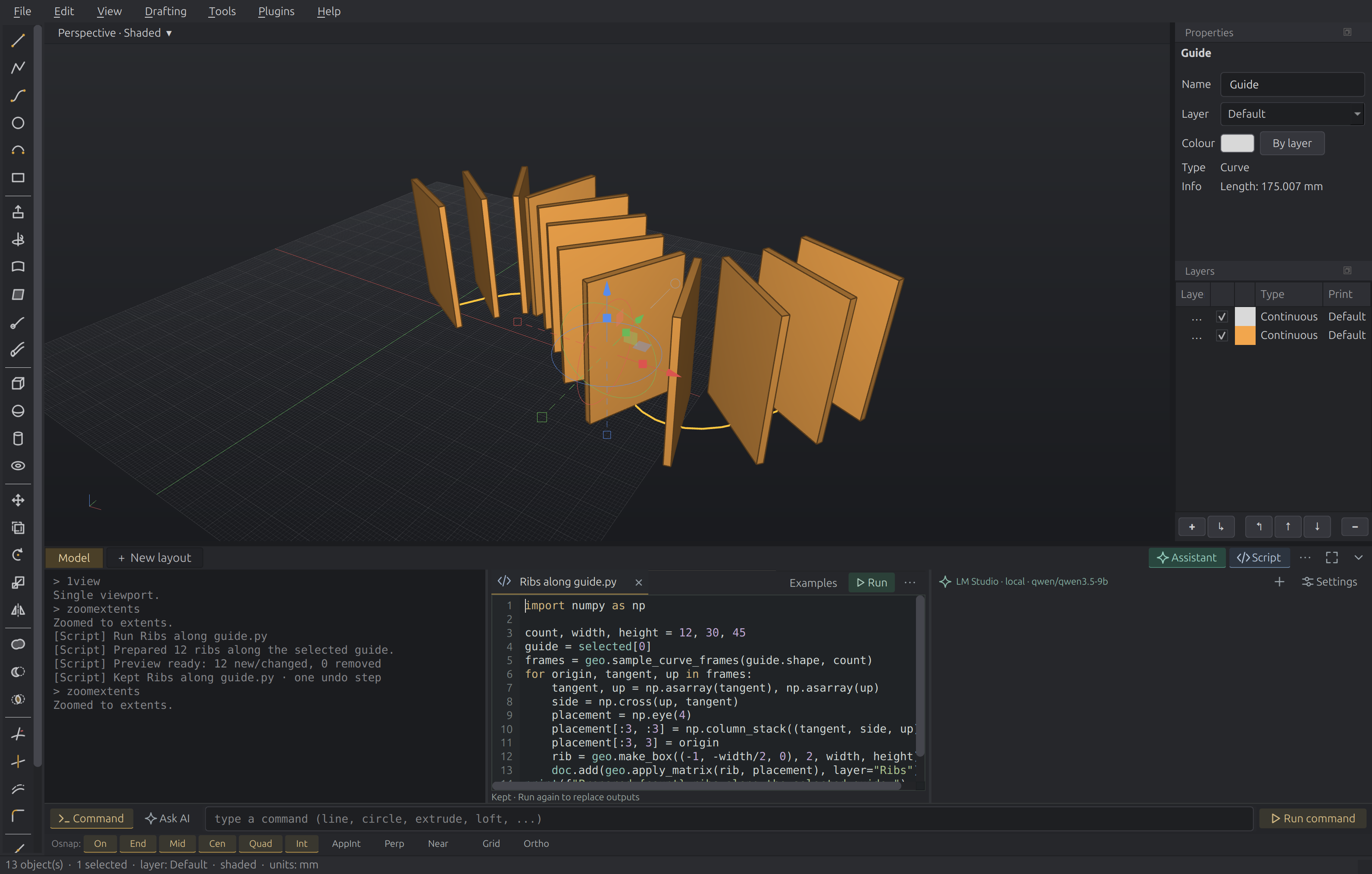
In-app assistant
Open Assistant in the bottom workspace, then choose Ask AI beside the shared input. Command returns to ordinary modelling commands. Each mode keeps its own draft; opening a pane does not change the input destination. The command history remains visible beside the conversation.
On first use, choose a connection directly in the Assistant pane. You can use a ChatGPT account, an API key, or a model running in LM Studio. The connection icon beside the model name lets you change this later. Choosing a connection never sends your draft automatically.
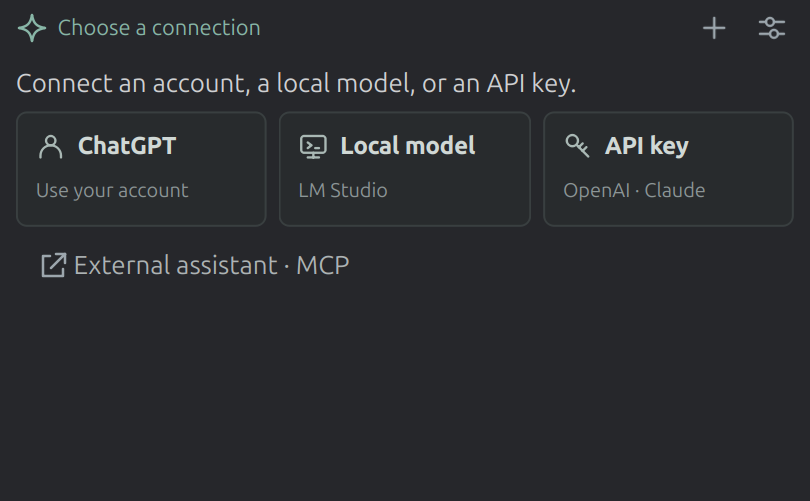
ChatGPT account
Serpentine uses the official Codex app-server to connect your ChatGPT account. Install the Codex CLI before starting Serpentine. The app checks your PATH and common per-user installation locations, including NVM installations used from the desktop.
- Choose ChatGPT in the Assistant pane.
- Reuse your existing Codex account, or choose Sign in to open the browser. Return to Serpentine after completing sign-in.
- Select an available model and choose Connect.
- Choose Ask AI and send a prompt, or click an example to draft one.
Codex manages authentication and account access. Serpentine does not copy your account tokens into its settings. Disconnecting the Assistant leaves your Codex account signed in. Account limits and model availability are determined by your ChatGPT plan.
LM Studio: run a model on your machine
- Open LM Studio and start its local server in the Developer view.
- In the Assistant pane, choose Local and enter the
server URL, usually
http://127.0.0.1:1234. - Choose Discover, select a model, and choose Connect. Qwen and Gemma can be used when installed in LM Studio; use a model trained for tool use to edit geometry.
- Return to Ask AI and try: “Create a box 40 by 30 by 20.”
No cloud key or account is needed for LM Studio. Requests go to the server URL you configure. With a loopback URL and a model served locally, inference stays on this machine.
Model discovery uses LM Studio's capability information when available and excludes embedding models. A vision model can inspect viewport screenshots; a text-only model works with scene information and measurements. If the server is unavailable or a model fails to load, the conversation shows the error so you can correct the setup and retry.
LM Studio manages model loading, context size and CPU/GPU memory allocation. If loading fails for lack of GPU memory, lower GPU offload or context size there. Serpentine does not change those settings.
Cloud API keys
Choose API key, select OpenAI or Anthropic, supply a key, and
select a model before choosing Connect. You can also set
OPENAI_API_KEY or ANTHROPIC_API_KEY before launching the app.
Environment keys take precedence over keys entered in the app and are not
copied into its configuration. Entered keys are saved in your Serpentine
configuration; each provider uses only its own key.
Cloud requests send your conversation and requested scene information to the provider you selected. An API key is never sent to your LM Studio server.
API usage is billed separately from a ChatGPT or Claude subscription. Anthropic does not offer Claude subscription sign-in for third-party applications without prior approval. To use an existing signed-in Claude client, connect it to Serpentine through MCP below.
Working alongside a drawing command
You can ask a question while a command is waiting for a point or another answer. An AI action that conflicts with that command must wait until you finish or cancel it. Switching input modes preserves your unfinished answer.
Stop cancels the current assistant turn. It does not undo geometry that has already been created; use the usual Undo command for completed changes. Changing models during a turn applies to the next turn.
Connect an external MCP client
Open the Assistant's connection options and choose External assistant · MCP to copy a configuration for the build you are running. Add it to your external client's MCP settings and keep the Serpentine GUI open. This lets an assistant you already use work on the scene, without configuring an in-app model connection.
For an installed Linux AppImage, the configuration looks like this:
{
  "mcpServers": {
    "serpentine3d": {
      "command": "/home/your-user/Applications/Serpentine3D.AppImage",
      "args": ["--mcp"]
    }
  }
}
The helper uses the original AppImage path so the configuration remains
valid after the application closes or updates. It does not use the
temporary directory where AppImages mount their bundled Python runtime.
--mcp starts only the stdio MCP server; start the GUI separately.
For a Python installation, you can also add the installed server directly — for example, with Claude Code:
The MCP server finds the running GUI through ~/.serpentine3d/rpc.port.
What the assistant can do
The server exposes these tools:
serp_create_curve,serp_create_surface,serp_boolean,serp_transform— direct geometry with exact parametersserp_command— run anything a user could type, with scripted answers to its promptsserp_scene_info,serp_measure,serp_screenshot— see the scene (the screenshot returns an image of the viewport)serp_select,serp_layers,serp_import,serp_export,serp_undo,serp_viewport— selection, layers, files and the cameraserp_prepare_script— open Python source as a new, unexecuted draft in the Script pane, ready for you to inspect and run
The combination of serp_screenshot and serp_command lets an assistant
inspect the current viewport and use the same modelling commands as you.
Geometry edits participate in the application's undo history. File exports
and other effects outside the document are not reversed by Undo.
External operations are labelled MCP in the common command history; in-app assistant operations are labelled AI, and script runs Script. MCP inspection remains available during a modelling prompt, while conflicting edits report an error until you finish or cancel the command. Script handoff preserves existing drafts and does not change the Command / Ask AI mode.
MCP is the interface for an external agent to control Serpentine. The in-app assistant uses the same application operations and connects directly to its selected model provider; it does not need a separate MCP client.
The bridge
The running GUI opens a localhost-only JSON-RPC socket
(~/.serpentine3d/rpc.port); the MCP server (serp3d-mcp) connects to it. Set
SERP3D_NO_RPC=1 to disable it.